
Documentation
A notebook for the context.
Create, organize, recover, and export the ideas that go with your calculations.
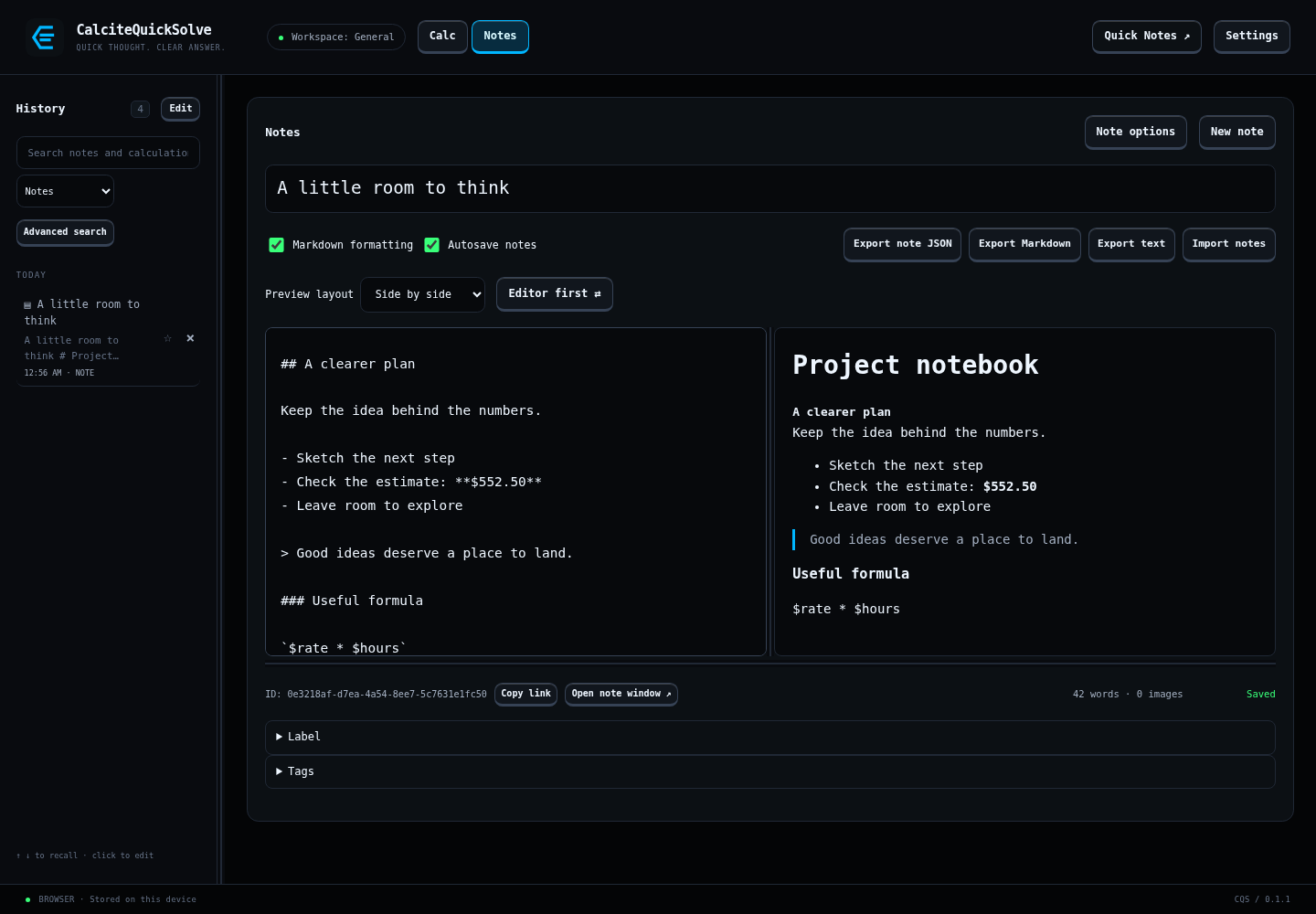
Create a note
Switch to Notes and choose New note. Enter a title and body. Notes are available with Full or the 30-day trial started from Settings → License.
- Enable Markdown formatting to preview headings, lists, emphasis, and code.
- Add image attachments where they help explain the idea.
- Open a note in its own window when you want it beside another task.
Save and organize
Autosave keeps edits moving; watch the save status before closing the app. Manual-save workflows also retain draft recovery. Tags, labels, and pins make a growing notebook easier to navigate.
Find an earlier idea
Search the library using words from the title or text. Use Advanced search for combinations of rules, or turn on semantic search to add related matches.
Follow an externally updated note
With a configured folder-sync service and automatic clean updates enabled, valid incoming changes can refresh a clean open note. Unsaved drafts are preserved; conflicting changes use the review workflow.
Recover an earlier version
Use note history to revisit snapshots, or trash to restore a deleted note. Default automatic snapshots are spaced five minutes apart with up to 100 snapshots; trash retention defaults to 30 days. Review the settings for your preferred limits.
Export or share
Export as Markdown or plain text for use in other editors, or use JSON for structured note data. Secure note exchange supports encrypted or signed bundles.